A Running Journal for Android
We keep the days you run in a diary
Your distance, route and the songs you heard, kept with each run.
Add your own words and photos later.
- RunRoute and songs recorded
- Keep ItThe day becomes a page
- Look BackYour routes build up
Get it on Google PlayFree · No ads · No Haruki account · Records offline


A run mostly fits on one page
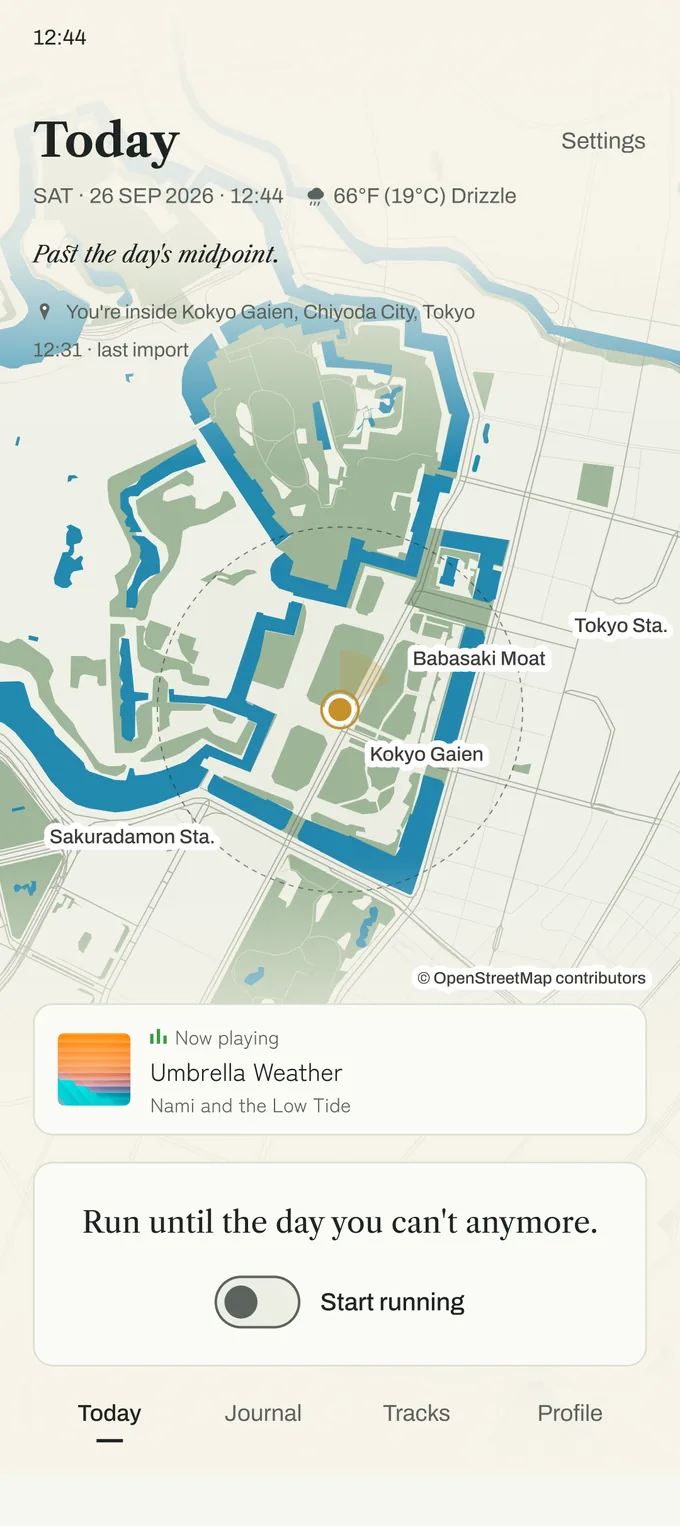
Finish a run and the date, the distance and the route are already a page. Add your own words and photos to it afterwards.
The temperature, the weather and the song you were listening to stay on the same page, so months later it still brings the day back.
The more you run, the more lines on the map
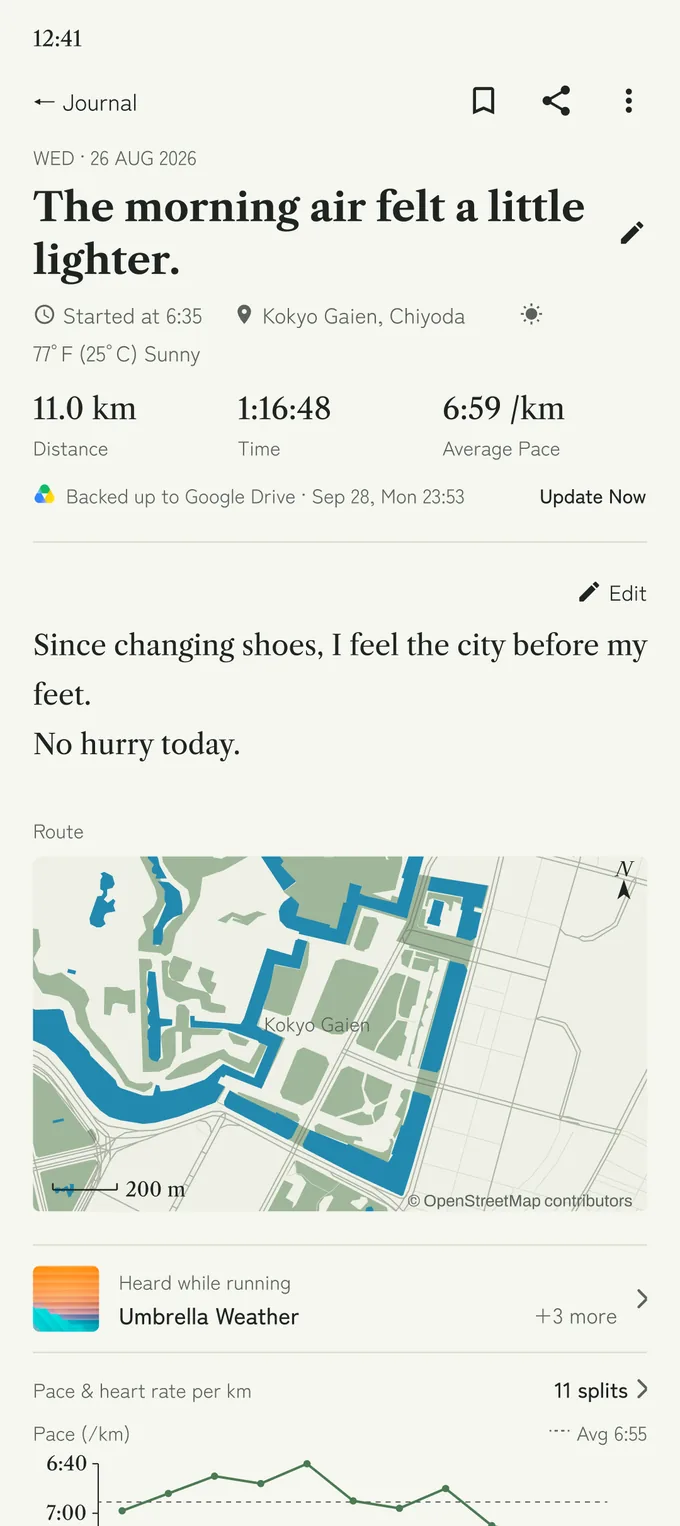
Run the same loop as often as you like — the weather and the mood are never quite the same. Month by month the roads lay over each other, and the days you kept going become the thickness of it.
No rankings, no challenges.
We remember what you were listening to
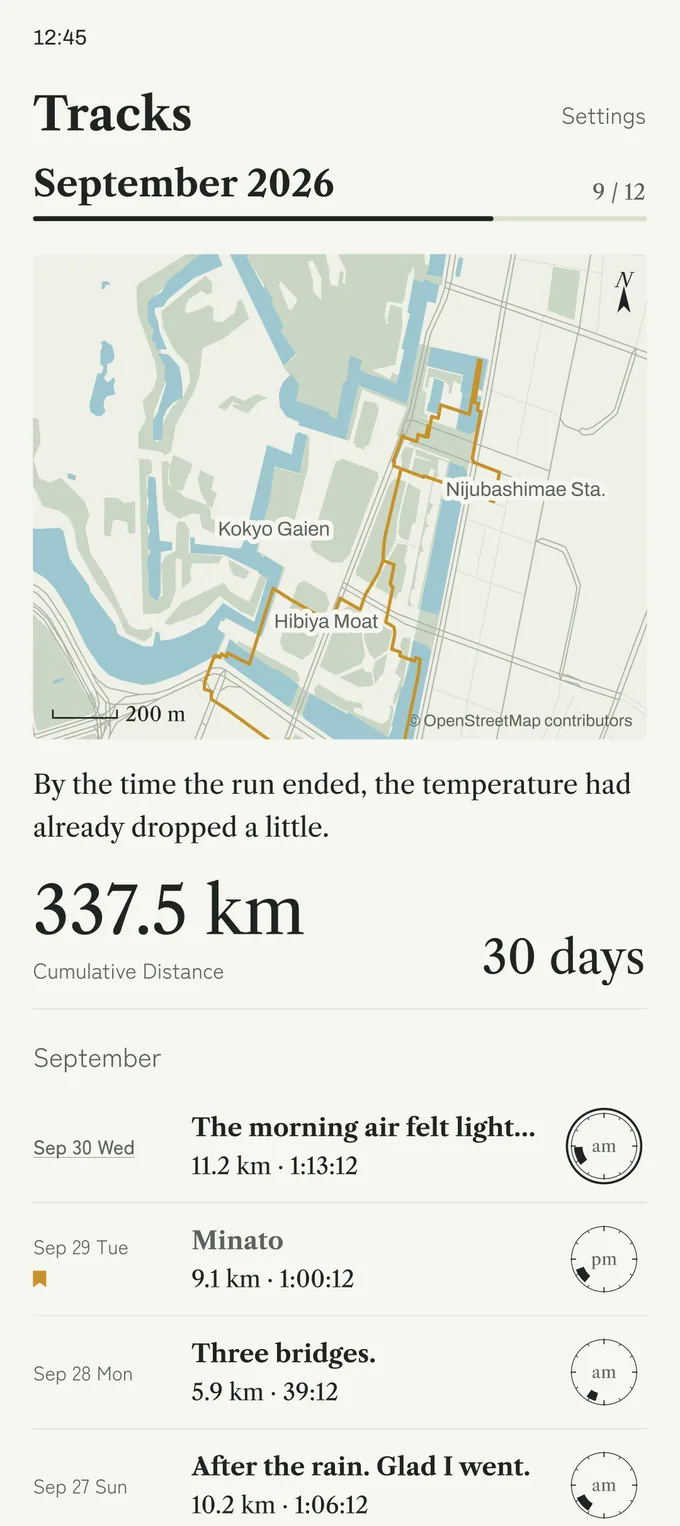
The songs you heard while running stay with that day's record. Star the ones worth keeping and they collect under Saved.
Song recording requires notification access. Available information varies by music app.
We start writing from the first step
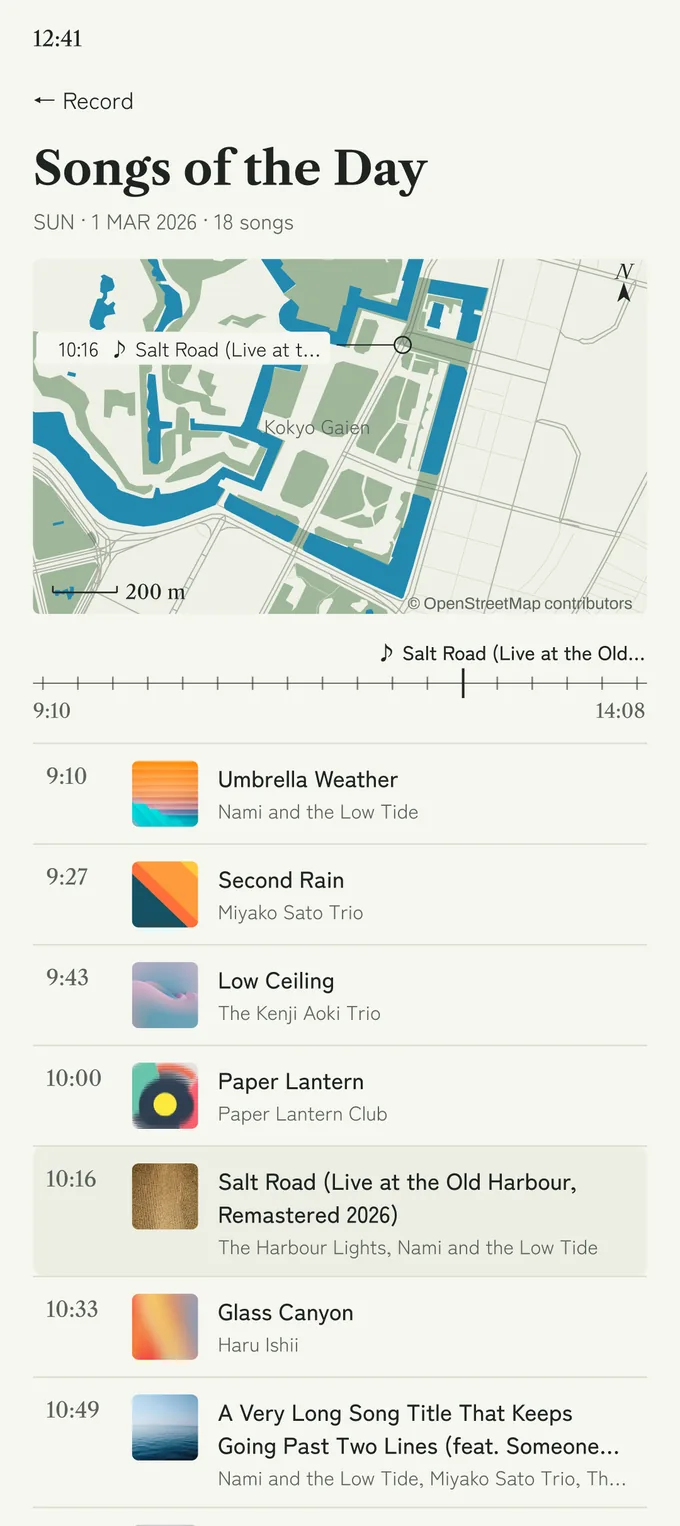
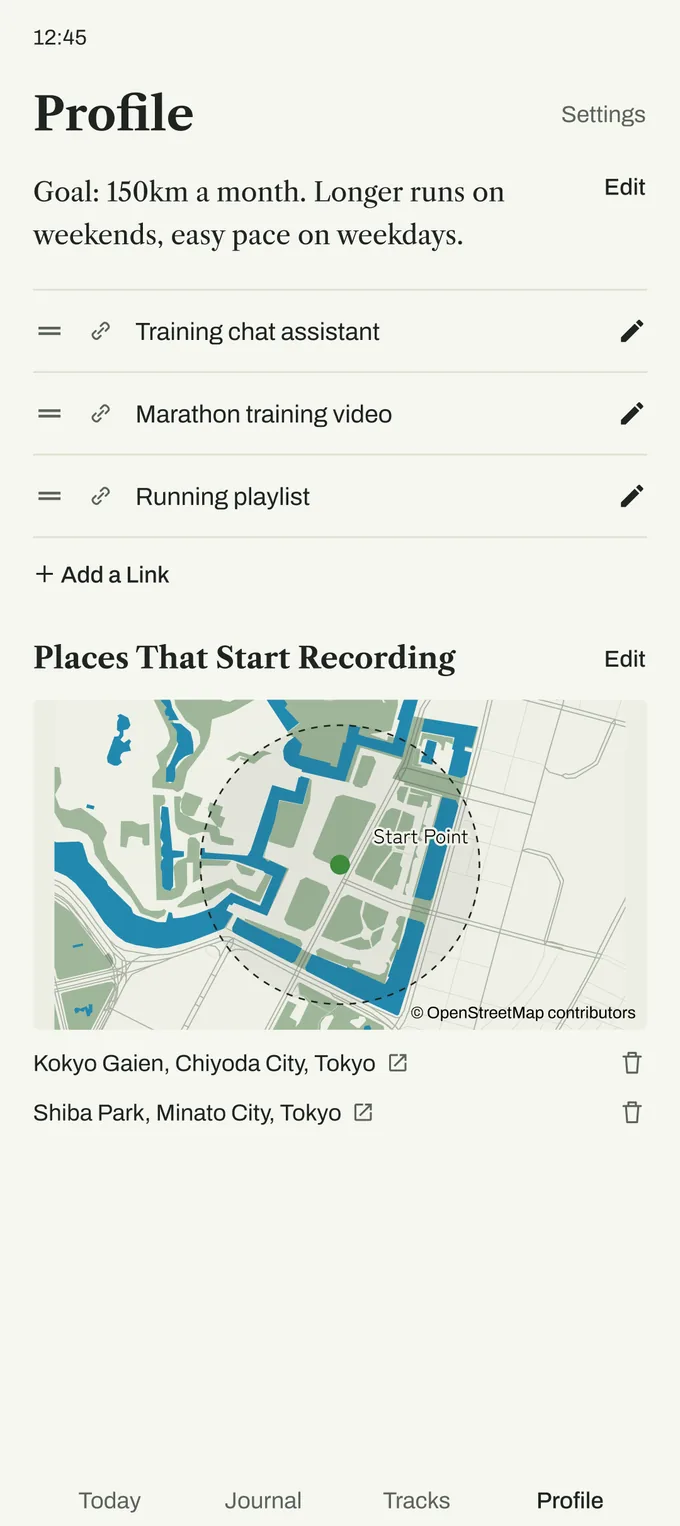
With automatic detection enabled, Haruki starts recording when you begin running. If you save the places you often set off from as start points, Haruki notices your start there sooner. You save start points from the Today screen, and review them on Profile.
If you would rather not use it, one tap on the switch in Today starts the recording instead.
Runs recorded by a compatible app or watch can be imported through Health Connect.
Automatic recording requires the feature enabled and the necessary activity and location permissions. Start points are optional.
Importing through Health Connect is one-way. Available data depends on the source and your permissions.



We keep your records on your phone
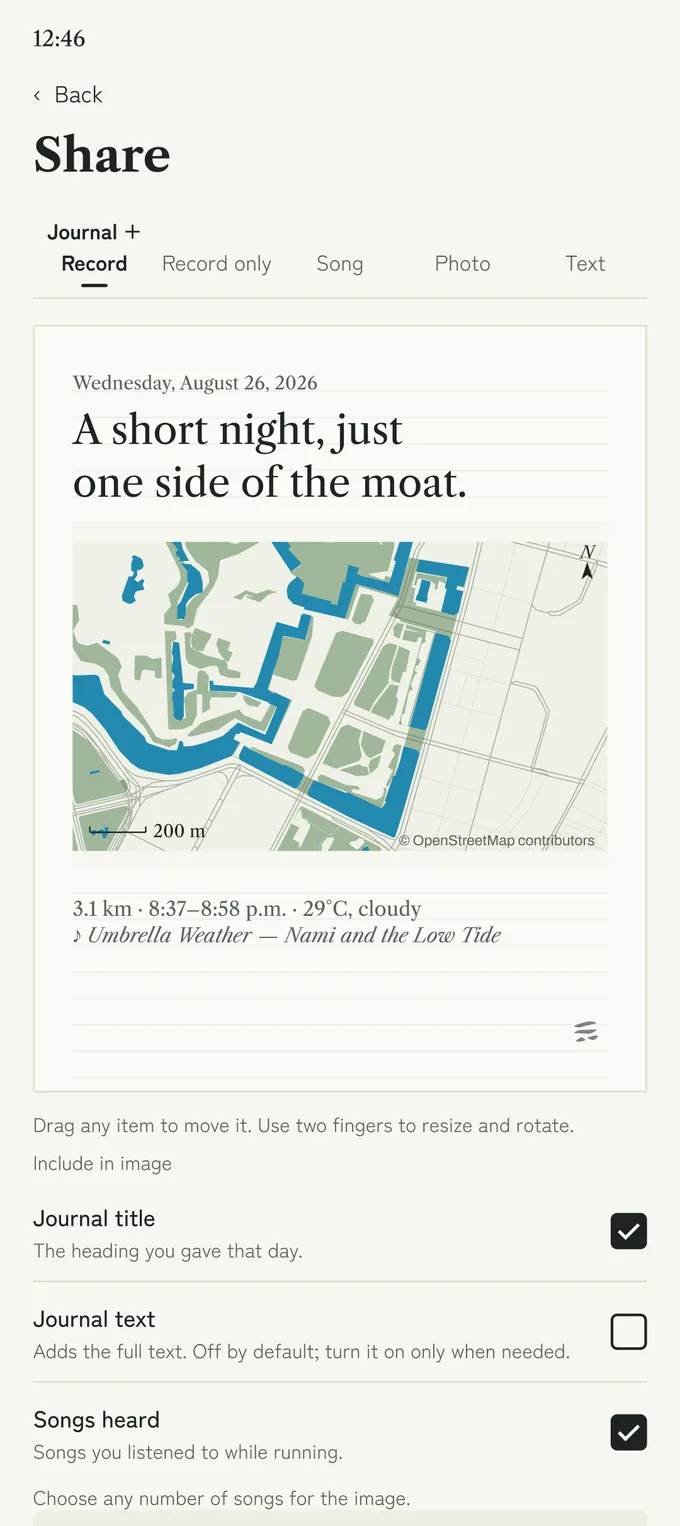
Your runs and journal entries are saved on your device first. On a day you want to show, you choose what to include and send it on.
You can keep a copy in Google Drive. A file kept there, or one you export, can be handed to a supported AI service by you. There is no AI inside Haruki.
Saving to Google Drive requires connecting a Google account.
Connection options and supported files vary by service and plan.
What you can export: diary entries, run data, routes, song history, photos
Formats: CSV / GPX / image files and more
Your Run Is the Point.
Keeping You Here Isn’t.
There are no ads here and no rankings, so there is nothing to gain from holding you on the screen. What follows is only what can be checked.
App Facts
Price$0
| Ads | 0% |
|---|---|
| Includes Targeted Ads | 0% |
| Advertising IDs Collected | 0% |
| Given or Sold to Third Parties | 0% |
| Rankings and Challenges | 0% |
| Account Required | No |
| Journal, Photos, Routes, | On your |
| Anonymous Usage Signals | 4, optional |
Recording, the journal and looking back are permanently free. The anonymous usage signals are four items and can be stopped at any time in Settings — see the Privacy Policy.
Notes from the Maker
I Stripped the Running Log Down, and a Diary Was What Remained
How Haruki’s core idea came about — in English and Japanese.
Getting Haruki
Haruki is an Android app. It is free to use and needs no account. It is on Google Play.
The listing is called “Haruki - Running Diary”. Questions: sooksook7110@gmail.com.